- First, go to the admin panel of your website. Go to “Plugins”.
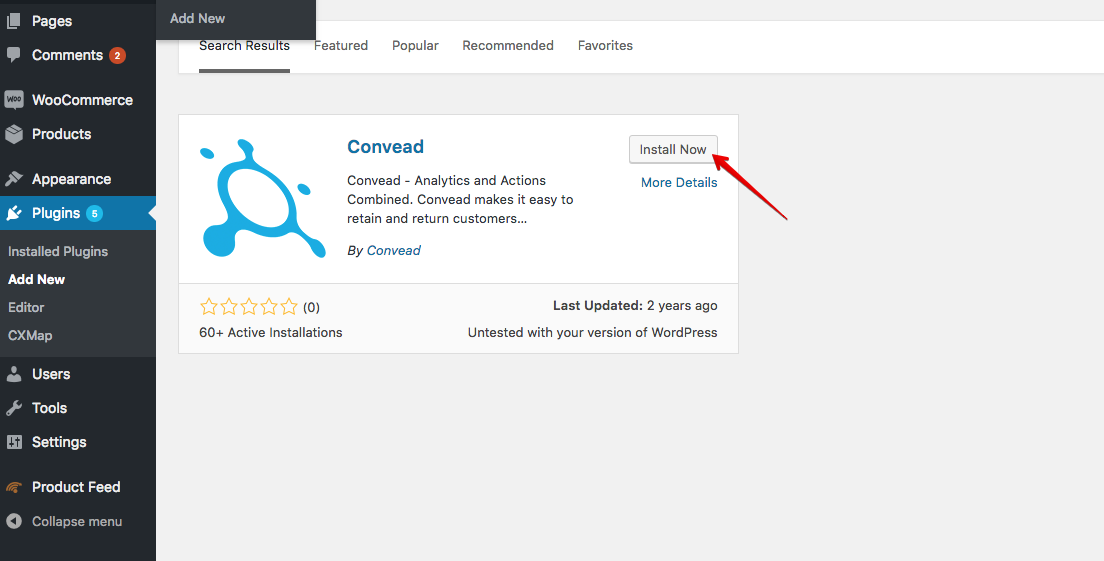
- The plugin store will open. Find Convead in the search.3. Click “Install now” to install the plugin.
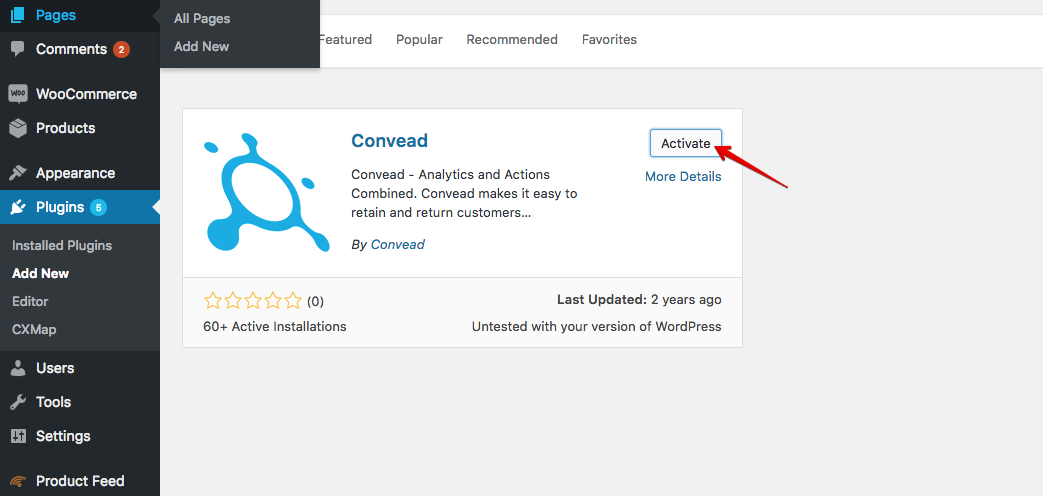
- Click “Activate” to activate the plugin.
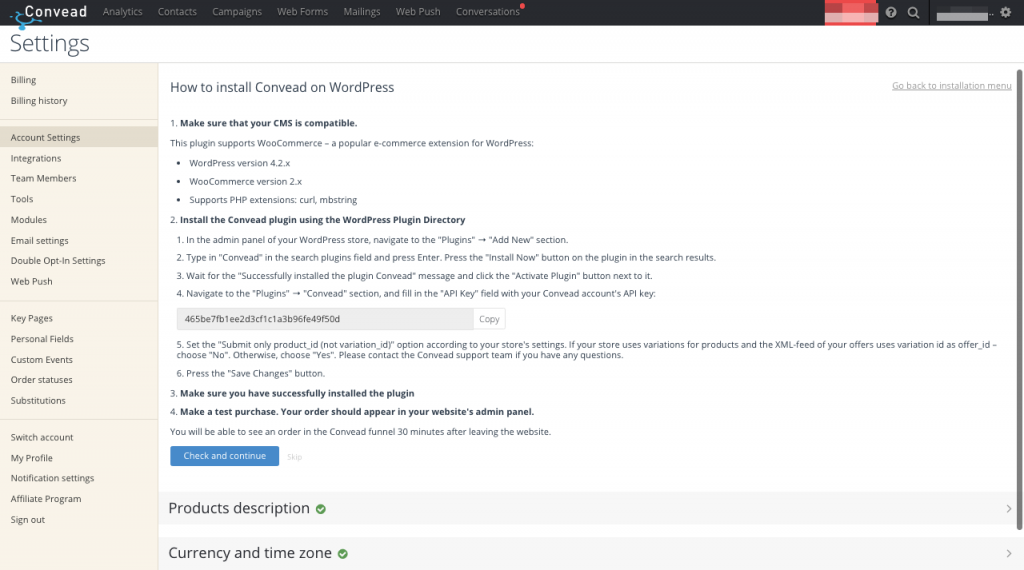
- Copy the API key in your Convead account.
- Insert the API key into the settings of the Convead module for your WordPress.
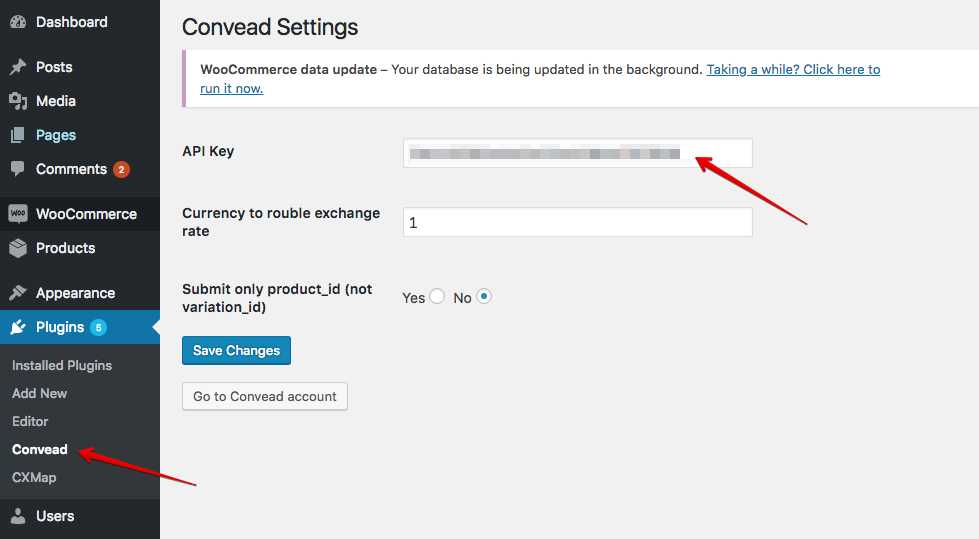
- Save changes by clicking “Save Changes”. The Convead installation is now complete.